Discussion
Loading...

Post

Log in
  • About
  • Code of conduct
  • Privacy
  • About Bonfire
Aral Balkan
Aral Balkan
@aral@mastodon.ar.al  ·  activity timestamp 16 hours ago

Added information on HTML, CSS, and Markdown Fragments to the Kitten Components and Fragments tutorial, including a little TypeScript type declarations file you can add to your projects so you don’t get type warnings for them when you import them in your projects:

https://kitten.small-web.org/tutorials/components-and-fragments/#html-css-and-markdown-fragments

Enjoy!

kitten💕

#Kitten #SmallWeb #SmallTech #web #dev #fragments #TypeScript

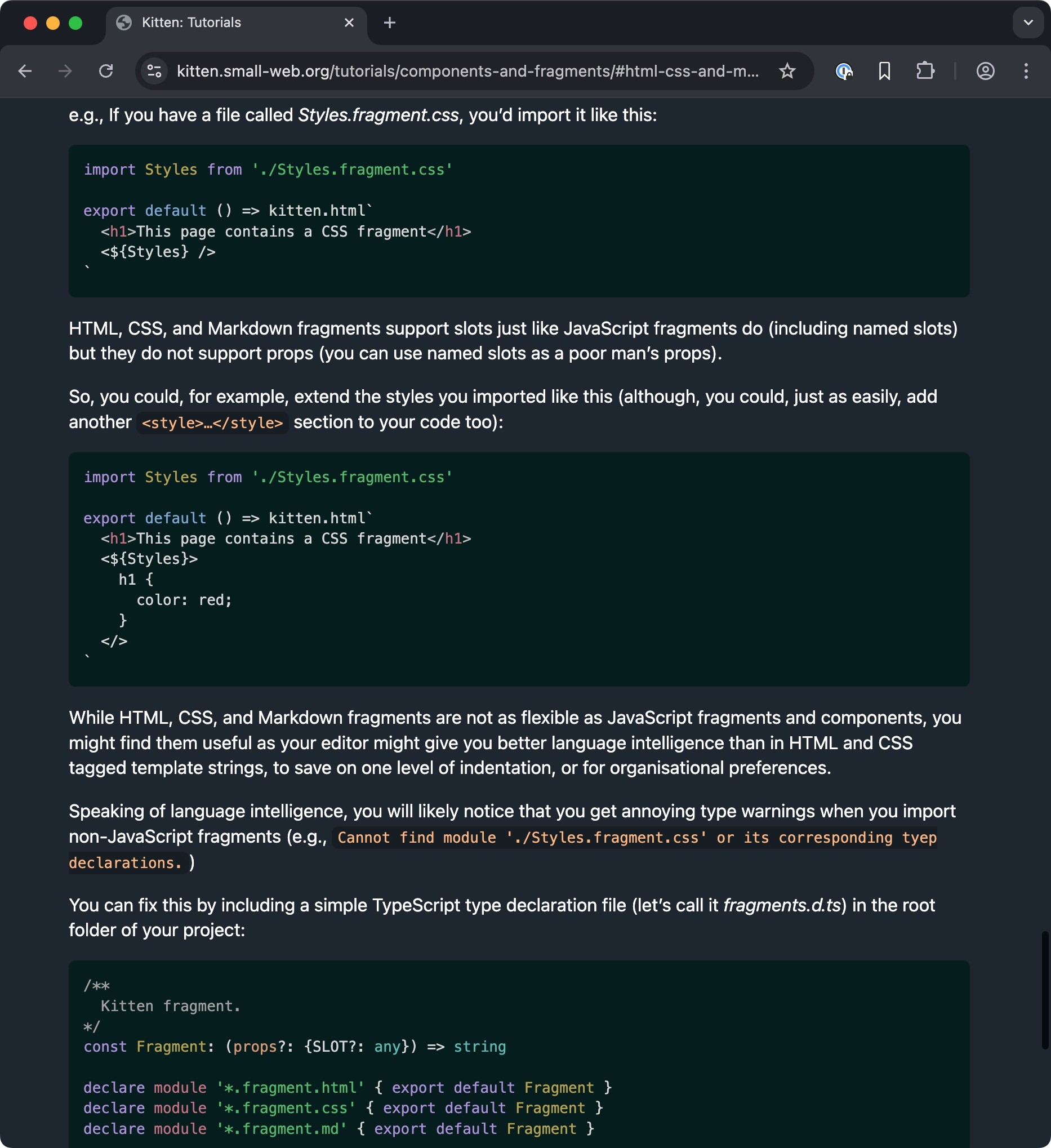
Screenshot of web browser at https://kitten.small-web.org/tutorials/components-and-fragments/#html-css-and-markdown-fragments.

Full text in next post as it hits Mastodon’s arbitrary character limit on alt text.
Screenshot of web browser at https://kitten.small-web.org/tutorials/components-and-fragments/#html-css-and-markdown-fragments. Full text in next post as it hits Mastodon’s arbitrary character limit on alt text.

Kitten: Tutorials

  • Copy link
  • Flag this post
  • Block
Aral Balkan
Aral Balkan
@aral@mastodon.ar.al replied  ·  activity timestamp 16 hours ago

Full alt-text for previous post (as it hits Mastodon’s arbitrary alt-text character limit.):

Screenshot of web browser at https://kitten.small-web.org/tutorials/components-and-fragments/#html-css-and-markdown-fragments

e.g., If you have a file called Styles.fragment.css, you’d import it like this:

import Styles from './Styles.fragment.css'

export default () => kitten.html`
<h1>This page contains a CSS fragment</h1>
<${Styles} />
`
HTML, CSS, and Markdown fragments support slots just like JavaScript fragments do (including named slots) but they do not support props (you can use named slots as a poor man’s props).

So, you could, for example, extend the styles you imported like this (although, you could, just as easily, add another <style>…</style> section to your code too):

import Styles from './Styles.fragment.css'

export default () => kitten.html`
<h1>This page contains a CSS fragment</h1>
<${Styles}>
h1 {
color: red;
}
</>
`
While HTML, CSS, and Markdown fragments are not as flexible as JavaScript fragments and components, you might find them useful as your editor might give you better language intelligence than in HTML and CSS tagged template strings, to save on one level of indentation, or for organisational preferences.

Speaking of language intelligence, you will likely notice that you get annoying type warnings when you import non-JavaScript fragments (e.g., Cannot find module './Styles.fragment.css' or its corresponding tyep declarations.)

You can fix this by including a simple TypeScript type declaration file (let’s call it fragments.d.ts) in the root folder of your project:

/**
Kitten fragment.
*/
const Fragment: (props?: {SLOT?: any}) => string

declare module '*.fragment.html' { export default Fragment }
declare module '*.fragment.css' { export default Fragment }
declare module '*.fragment.md' { export default Fragment }

Kitten: Tutorials

  • Copy link
  • Flag this comment
  • Block

BT Free Social

BT Free is a non-profit organization founded by @ozoned@btfree.social . It's goal is for digital privacy rights, advocacy and consulting. This goal will be attained by hosting open platforms to allow others to seamlessly join the Fediverse on moderated instances or by helping others join the Fediverse.

BT Free Social: About · Code of conduct · Privacy ·
Bonfire social · 1.0.1 no JS en
Automatic federation enabled
Log in
  • Explore
  • About
  • Code of Conduct