Discussion
Loading...

#Tag

Log in
  • About
  • Code of conduct
  • Privacy
  • About Bonfire
Stefano Marinelli boosted
Tionisla
Tionisla
@Tionisla@mastodon.bsd.cafe  ·  activity timestamp 2 days ago

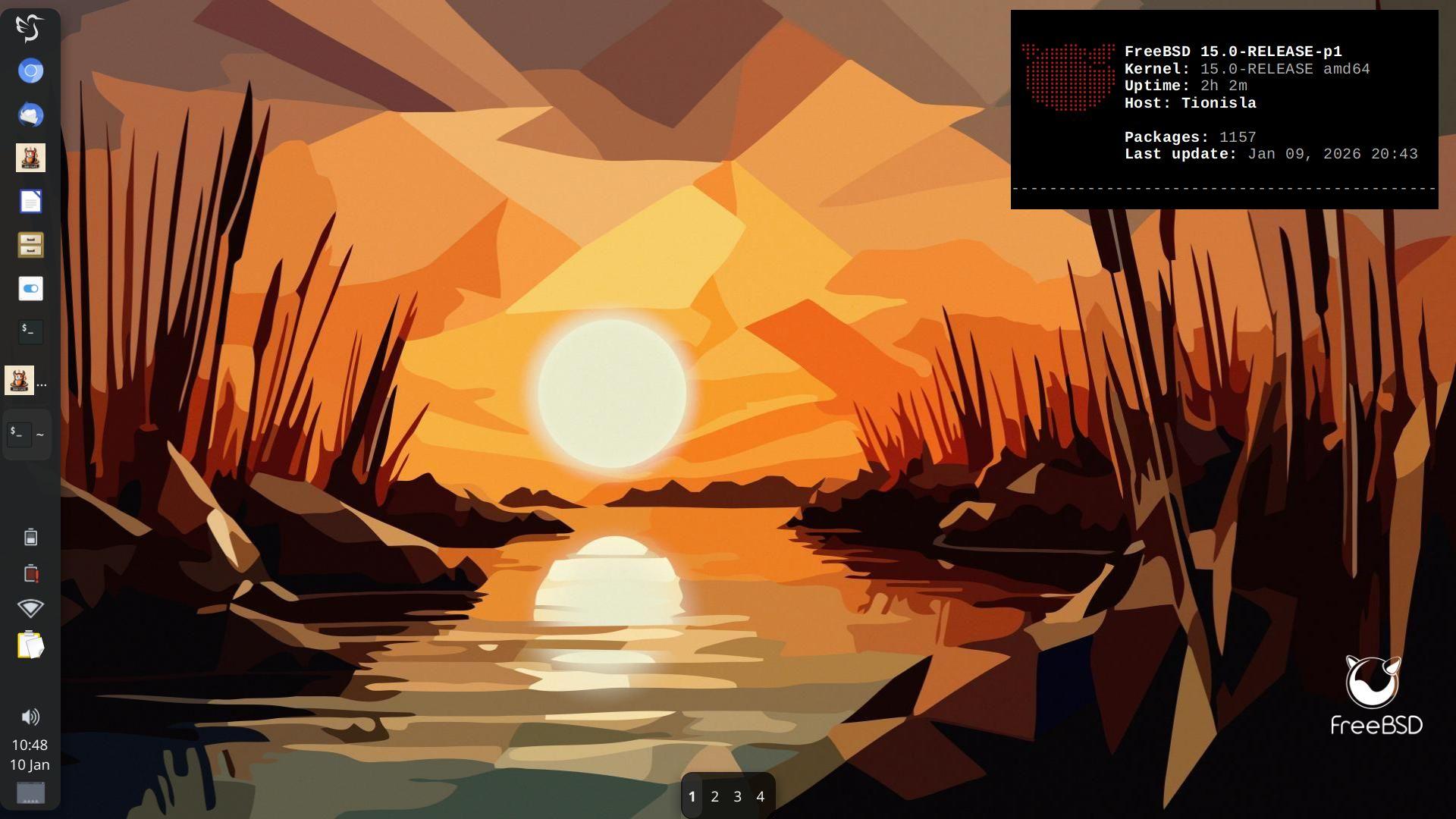
Right in the process of changing my Desktop Environment from KDE/Plasma to LXQT on my main laptop "Tionisla".

OS: FreeBSD 15.0-RELEASE-p1
Kernel: 15.0-RELEASE amd64
Desktop: LXQT
WM: XFWM4

Styling:
gtk2/3/QT/XFWM: Greybird
LXQT: Sombre-et-Rond
Icons: Qogir
wallpaper: "Sonnenuntergang_im_Schilf" (Sunset in the reeds) by a @orbite lamba
#lxqt #xfwm4 #freebsd #runBSD #screenshot #unix

Screenshot of a LXQT Desktop running on FreeBSD.

On the lefte there's a panel for starting and managing various programs and a system tray and a clock/date applet.

In the upper right corner is a terminal showing the output of the bsdebfetch command. In the lower right corner there's  a FreeBSD logo icon.

the wallpaper show's a fractalised picture of a sunset in the reeds.
Screenshot of a LXQT Desktop running on FreeBSD. On the lefte there's a panel for starting and managing various programs and a system tray and a clock/date applet. In the upper right corner is a terminal showing the output of the bsdebfetch command. In the lower right corner there's a FreeBSD logo icon. the wallpaper show's a fractalised picture of a sunset in the reeds.
  • Copy link
  • Flag this post
  • Block
Tionisla
Tionisla
@Tionisla@mastodon.bsd.cafe  ·  activity timestamp 2 days ago

Right in the process of changing my Desktop Environment from KDE/Plasma to LXQT on my main laptop "Tionisla".

OS: FreeBSD 15.0-RELEASE-p1
Kernel: 15.0-RELEASE amd64
Desktop: LXQT
WM: XFWM4

Styling:
gtk2/3/QT/XFWM: Greybird
LXQT: Sombre-et-Rond
Icons: Qogir
wallpaper: "Sonnenuntergang_im_Schilf" (Sunset in the reeds) by a @orbite lamba
#lxqt #xfwm4 #freebsd #runBSD #screenshot #unix

Screenshot of a LXQT Desktop running on FreeBSD.

On the lefte there's a panel for starting and managing various programs and a system tray and a clock/date applet.

In the upper right corner is a terminal showing the output of the bsdebfetch command. In the lower right corner there's  a FreeBSD logo icon.

the wallpaper show's a fractalised picture of a sunset in the reeds.
Screenshot of a LXQT Desktop running on FreeBSD. On the lefte there's a panel for starting and managing various programs and a system tray and a clock/date applet. In the upper right corner is a terminal showing the output of the bsdebfetch command. In the lower right corner there's a FreeBSD logo icon. the wallpaper show's a fractalised picture of a sunset in the reeds.
  • Copy link
  • Flag this post
  • Block
Stefano Marinelli boosted
Tionisla
Tionisla
@Tionisla@mastodon.bsd.cafe  ·  activity timestamp 4 days ago

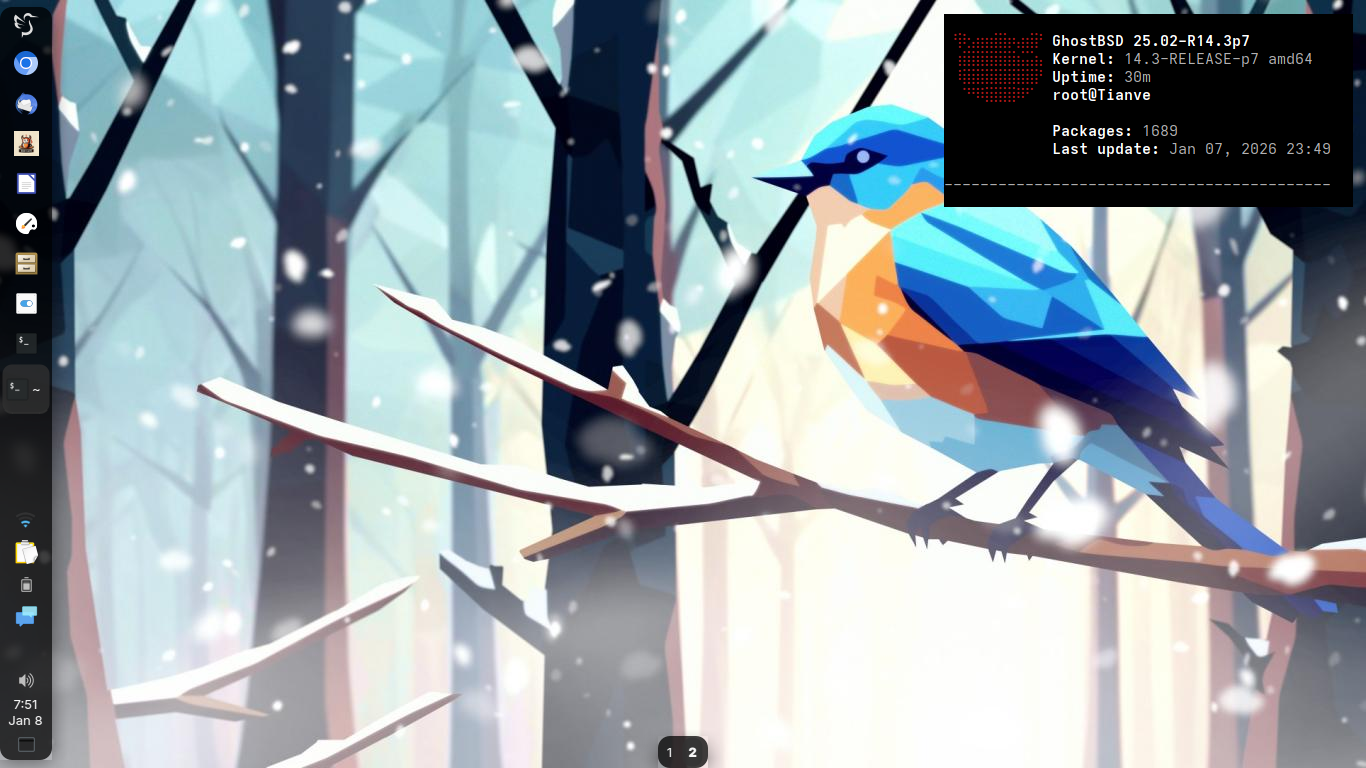
Secondary: "Tianve" - HP 250 G3
Kernel: 14.3-RELEASE-p7 amd64
Operating System: GhostBSD 25.02
LXQT Version: 2.3.0 (XFWM)
Qt Version: 6.10.1
Graphics Platform: X11

https://bsd-hardware.info/?probe=102fa9b597

Wallpaper "Oiseau d'hiver" by @orbite

#GhostBSD #FreeBSD #RunBSD #LXQT #X11 #QT #screenshot #desktop #unix

Screenshot of GhostBSD running LXQT.

Styling: Greybirdfor gtk2/3/xfwm, QT theming via qt6gtk2
LXQT Panel: Sombre-et-rond
Icons: Qogir
Wallpaper: "Oiseau d'hiver" by @orbite

There's a panel with some pinned icons floating on the left, a qterminal running bsdebfetch with some system stats. AT the bottom is a floating panel with two desktop switcher buttons.
Screenshot of GhostBSD running LXQT. Styling: Greybirdfor gtk2/3/xfwm, QT theming via qt6gtk2 LXQT Panel: Sombre-et-rond Icons: Qogir Wallpaper: "Oiseau d'hiver" by @orbite There's a panel with some pinned icons floating on the left, a qterminal running bsdebfetch with some system stats. AT the bottom is a floating panel with two desktop switcher buttons.
  • Copy link
  • Flag this post
  • Block
Tionisla
Tionisla
@Tionisla@mastodon.bsd.cafe  ·  activity timestamp 4 days ago

Upgraded my secondary notebook "Tianve" to GhostBSD 25.02-R14.3p7.

Removed Plasma 6.5.4 and switched to LXQT instead. All is well.

#RunBSD #GhostBSD #FreeBSD

Tionisla
Tionisla
@Tionisla@mastodon.bsd.cafe replied  ·  activity timestamp 4 days ago

Secondary: "Tianve" - HP 250 G3
Kernel: 14.3-RELEASE-p7 amd64
Operating System: GhostBSD 25.02
LXQT Version: 2.3.0 (XFWM)
Qt Version: 6.10.1
Graphics Platform: X11

https://bsd-hardware.info/?probe=102fa9b597

Wallpaper "Oiseau d'hiver" by @orbite

#GhostBSD #FreeBSD #RunBSD #LXQT #X11 #QT #screenshot #desktop #unix

Screenshot of GhostBSD running LXQT.

Styling: Greybirdfor gtk2/3/xfwm, QT theming via qt6gtk2
LXQT Panel: Sombre-et-rond
Icons: Qogir
Wallpaper: "Oiseau d'hiver" by @orbite

There's a panel with some pinned icons floating on the left, a qterminal running bsdebfetch with some system stats. AT the bottom is a floating panel with two desktop switcher buttons.
Screenshot of GhostBSD running LXQT. Styling: Greybirdfor gtk2/3/xfwm, QT theming via qt6gtk2 LXQT Panel: Sombre-et-rond Icons: Qogir Wallpaper: "Oiseau d'hiver" by @orbite There's a panel with some pinned icons floating on the left, a qterminal running bsdebfetch with some system stats. AT the bottom is a floating panel with two desktop switcher buttons.
  • Copy link
  • Flag this comment
  • Block
Stefano Marinelli boosted
Tionisla
Tionisla
@Tionisla@mastodon.bsd.cafe  ·  activity timestamp 6 days ago

In the light of me looking for an alternative to plasma6 some more tweaking of lxqt. It's slowly getting there... Panel on the left, some pinned apps, icon only taskmanager, systray, using Qogir icons and XFWM4 for windowmanaging and with elementary theme for xfwm4, gtk and gtk-qt5/6, (forgot how cool it looked). The wallpaper is by @orbite and is called "oiseau d'hiver".

The left panel with the pinned program launches and the bottom with the virtual desktop switcher are set to intellihide to get out of the way if windows get maximized

Will see if I can get DockbarX lxqt plugin to work on FreeBSD for a real dockapp handling. It doesn't seem to be in pkgs.

Now, I just have to remember what I did on this spare machine to transfer it on to my other machines...🤷‍♀️

#FreeBSD #RunBSD #lxqt #plasma6 #workflow

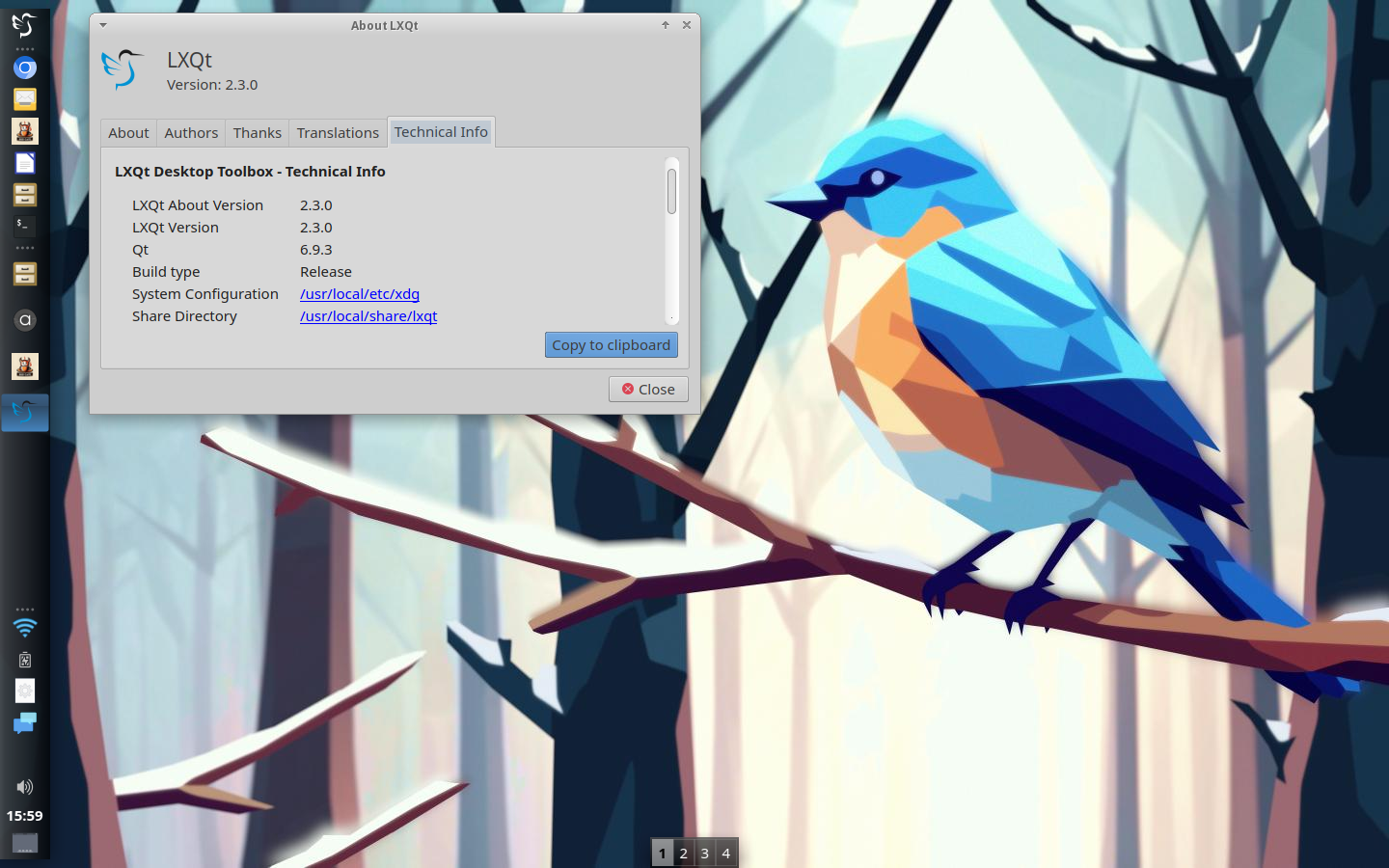
LXQT Desktop on FreeBSD. 

There's a panel on the left side showing pinned and running applications. On the desktop the pcmanFM filemanager and the audacious mediaplayer are left tiled. A image preview is tiled on the right side

wallpaper showing a fractalised Bird in a snowy wood and is called "Oiseau d'hiver" by @orbite
LXQT Desktop on FreeBSD. There's a panel on the left side showing pinned and running applications. On the desktop the pcmanFM filemanager and the audacious mediaplayer are left tiled. A image preview is tiled on the right side wallpaper showing a fractalised Bird in a snowy wood and is called "Oiseau d'hiver" by @orbite
LXQT Desktop on FreeBSD. 

There's a panel on the left side showing pinned and running applications. On the desktop there is the lxqt-about program showing some stats about the lxqt, qt version etc.

wallpaper showing a fractalised Bird in a snowy wood and is called "Oiseau d'hiver" by @orbite
LXQT Desktop on FreeBSD. There's a panel on the left side showing pinned and running applications. On the desktop there is the lxqt-about program showing some stats about the lxqt, qt version etc. wallpaper showing a fractalised Bird in a snowy wood and is called "Oiseau d'hiver" by @orbite
  • Copy link
  • Flag this post
  • Block
Tionisla
Tionisla
@Tionisla@mastodon.bsd.cafe  ·  activity timestamp 6 days ago

In the light of me looking for an alternative to plasma6 some more tweaking of lxqt. It's slowly getting there... Panel on the left, some pinned apps, icon only taskmanager, systray, using Qogir icons and XFWM4 for windowmanaging and with elementary theme for xfwm4, gtk and gtk-qt5/6, (forgot how cool it looked). The wallpaper is by @orbite and is called "oiseau d'hiver".

The left panel with the pinned program launches and the bottom with the virtual desktop switcher are set to intellihide to get out of the way if windows get maximized

Will see if I can get DockbarX lxqt plugin to work on FreeBSD for a real dockapp handling. It doesn't seem to be in pkgs.

Now, I just have to remember what I did on this spare machine to transfer it on to my other machines...🤷‍♀️

#FreeBSD #RunBSD #lxqt #plasma6 #workflow

LXQT Desktop on FreeBSD. 

There's a panel on the left side showing pinned and running applications. On the desktop the pcmanFM filemanager and the audacious mediaplayer are left tiled. A image preview is tiled on the right side

wallpaper showing a fractalised Bird in a snowy wood and is called "Oiseau d'hiver" by @orbite
LXQT Desktop on FreeBSD. There's a panel on the left side showing pinned and running applications. On the desktop the pcmanFM filemanager and the audacious mediaplayer are left tiled. A image preview is tiled on the right side wallpaper showing a fractalised Bird in a snowy wood and is called "Oiseau d'hiver" by @orbite
LXQT Desktop on FreeBSD. 

There's a panel on the left side showing pinned and running applications. On the desktop there is the lxqt-about program showing some stats about the lxqt, qt version etc.

wallpaper showing a fractalised Bird in a snowy wood and is called "Oiseau d'hiver" by @orbite
LXQT Desktop on FreeBSD. There's a panel on the left side showing pinned and running applications. On the desktop there is the lxqt-about program showing some stats about the lxqt, qt version etc. wallpaper showing a fractalised Bird in a snowy wood and is called "Oiseau d'hiver" by @orbite
  • Copy link
  • Flag this post
  • Block
Tionisla
Tionisla
@Tionisla@mastodon.bsd.cafe  ·  activity timestamp last week

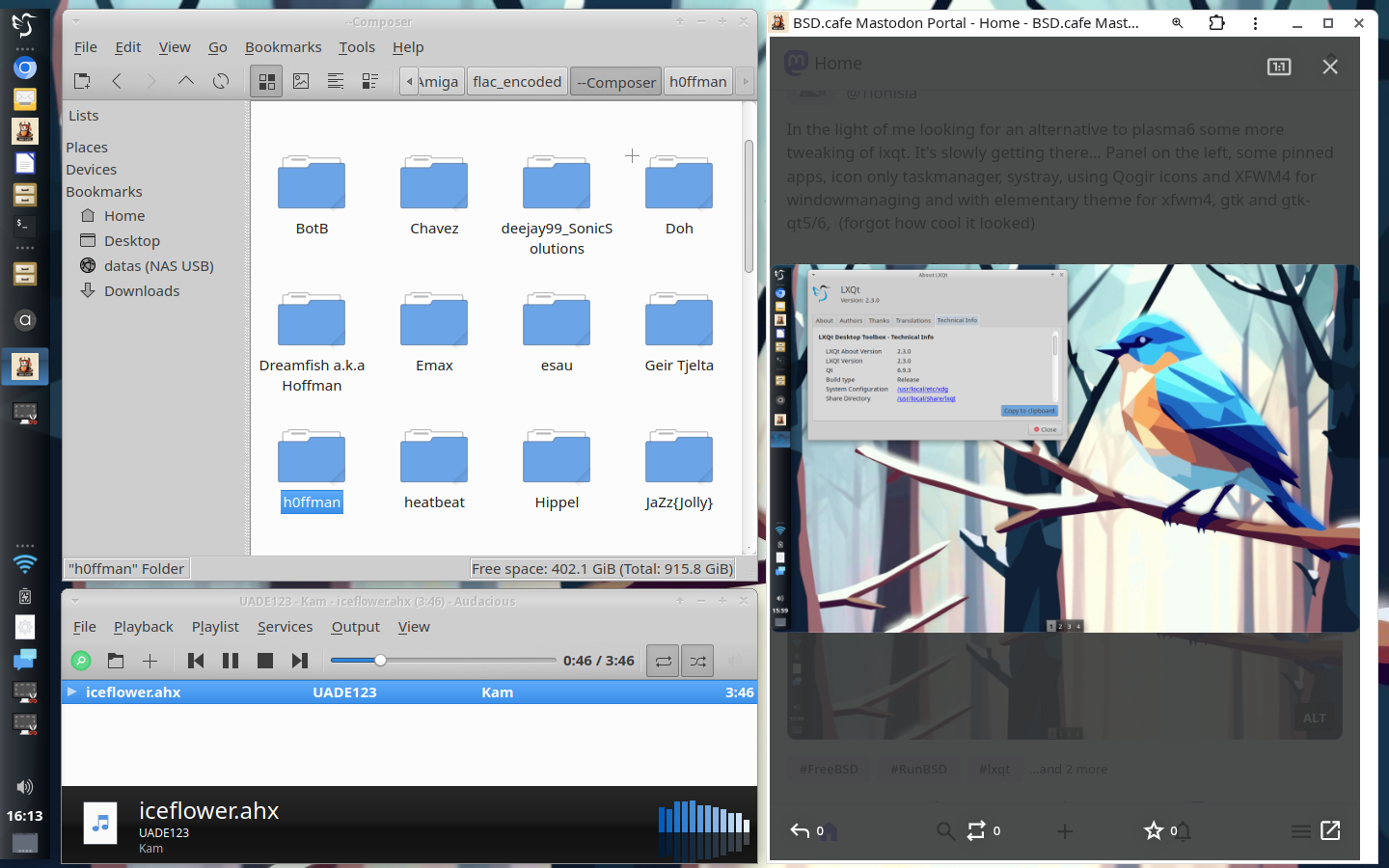
Trying to replicate my workflow with LXQT on FreeBSD. so far so good...

#LXQT #RunBSD #FreeBSD

Trying to replicate my workflow with LXQT on FreeBSD.

A screenshot of a LXQT Desktop. The panel is on the left. On the desktop of filemanager window showing some files on a NAS and an audacious window playing a pink floyd song. On the right side of the desktop a PWA of BSD.Cafe's Mastodon instance is running showing my profile.
Trying to replicate my workflow with LXQT on FreeBSD. A screenshot of a LXQT Desktop. The panel is on the left. On the desktop of filemanager window showing some files on a NAS and an audacious window playing a pink floyd song. On the right side of the desktop a PWA of BSD.Cafe's Mastodon instance is running showing my profile.
  • Copy link
  • Flag this post
  • Block
Tionisla
Tionisla
@Tionisla@mastodon.bsd.cafe  ·  activity timestamp last week

Ok, exchanged the ssd with OpenBSD on my ancient Dell Inspiron with an old hdd I had lying around and quickly spun up a FreeBSD.

Started to toy around with some other desktops on FreeBSD, now, beside Plasma.
If all else fails I might fall back on mate or xfce. Not sure about gershwin... It's kind of xfce but isn't. Not sure if I want a gtk based Desktop either...

Currently trying out lxqt on FreeBSD to see if I can replicate my workflow I had on Plasma so far... PCmanFM-Qt is decent enough. There are several *-qt variants of some of the kde software I used like falkon.

#IndiandaJonesAndTheSearchForAUnixDestop #plasma6 #lxqt #gershwin #xfce #FreeBSD #RunBSD

  • Copy link
  • Flag this post
  • Block

BT Free Social

BT Free is a non-profit organization founded by @ozoned@btfree.social . It's goal is for digital privacy rights, advocacy and consulting. This goal will be attained by hosting open platforms to allow others to seamlessly join the Fediverse on moderated instances or by helping others join the Fediverse.

BT Free Social: About · Code of conduct · Privacy ·
Bonfire social · 1.0.1-beta.22 no JS en
Automatic federation enabled
Log in
  • Explore
  • About
  • Code of Conduct