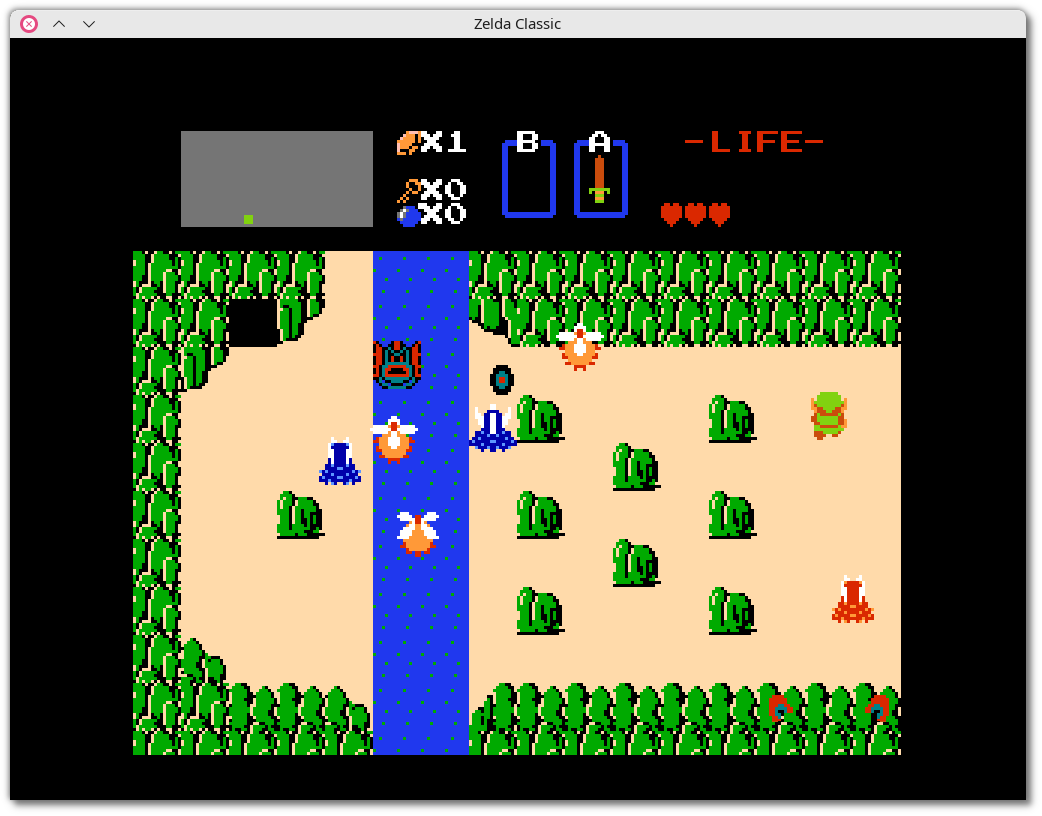
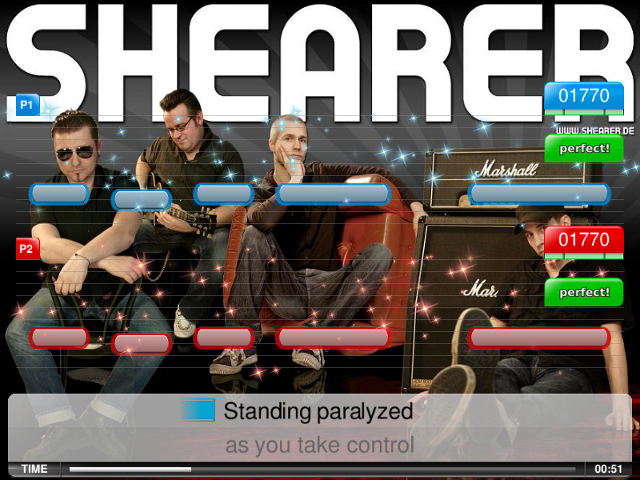
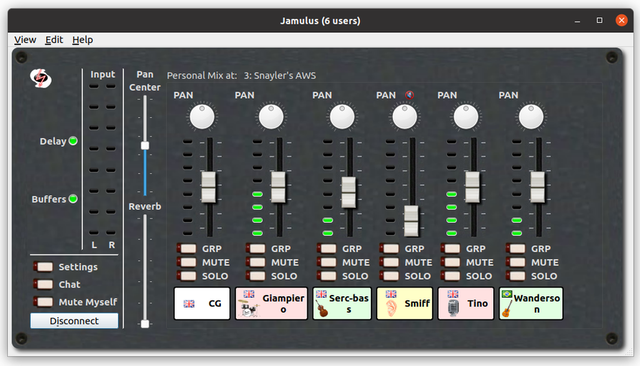
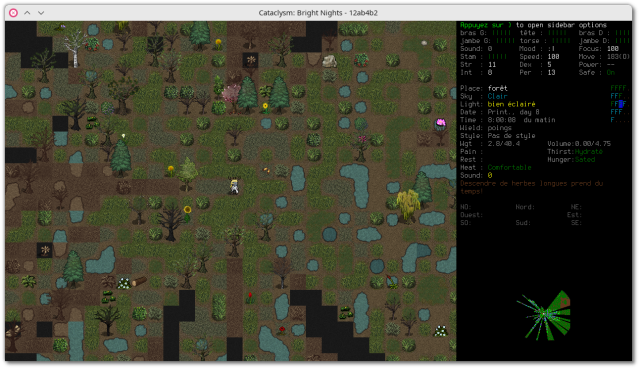
๐Ÿ•ถ๏ธ The game screen is very small (corresponding to the specifications of the NES, whose display is 256ร—240 pixels). A bird's-eye view of a Zelda-style game, where Link (the protagonist) is walking along a paved road, approaching a house in the middle of the woods. A mini-map at top left suggests a very large map.

๐Ÿ“š๏ธ ZQuest Classic is a libre, multi-platform, mature action-RPG engine, that comes with a clone of the NES version of The Legend of Zelda (1986, Nintendo). It lets you play numerous games (700 quests as of June 2023, mostly Zelda-like) designed by the community, and easily develop them thanks to its comprehensive, intuitive editor, which requires no programming (apart from the optional scripting language for extended functions), and also delivers data sets (traditional/improved). The project has brought together a community that has developed significant content, and its development is sustained.
๐Ÿ•ถ๏ธ The game screen is very small (corresponding to the specifications of the NES, whose display is 256ร—240 pixels). A bird's-eye view of a Zelda-style game, where Link (the protagonist) is walking along a paved road, approaching a house in the middle of the woods. A mini-map at top left suggests a very large map. ๐Ÿ“š๏ธ ZQuest Classic is a libre, multi-platform, mature action-RPG engine, that comes with a clone of the NES version of The Legend of Zelda (1986, Nintendo). It lets you play numerous games (700 quests as of June 2023, mostly Zelda-like) designed by the community, and easily develop them thanks to its comprehensive, intuitive editor, which requires no programming (apart from the optional scripting language for extended functions), and also delivers data sets (traditional/improved). The project has brought together a community that has developed significant content, and its development is sustained.
Battle for Wesnoth - Campagne Libertรฉ
๐Ÿ•ถ๏ธ A bird's-eye view of a plain where the countryside blends harmoniously with the winding river, bordered to the east by mountain ranges leaving a passageway to the south-east for an army of invaders coming to attack Wesnoth castle located to the south of the plain. One of the protagonists defending the castle exclaims โ€˜Wha- How did so many of them flank us? We're cut off from Wesnoth!

๐Ÿ“š๏ธ The Battle for Wesnoth is a libre, multi-platform, single-player (AI) / multi-player (up to 8 in LAN / online) turn-based tactical strategy game with a high fantasy theme, in which the player recruits his troops to face powerful enemies, all in a very neat scenario. It is a mature game (nearly 20 years of development), very complete and of very high quality, offering several soundtracks, more than 200 types of finely detailed units, 16 races, 6 major factions, many campaigns and maps to download from the interface, and an editor.
๐Ÿ•ถ๏ธ A bird's-eye view of a plain where the countryside blends harmoniously with the winding river, bordered to the east by mountain ranges leaving a passageway to the south-east for an army of invaders coming to attack Wesnoth castle located to the south of the plain. One of the protagonists defending the castle exclaims โ€˜Wha- How did so many of them flank us? We're cut off from Wesnoth! ๐Ÿ“š๏ธ The Battle for Wesnoth is a libre, multi-platform, single-player (AI) / multi-player (up to 8 in LAN / online) turn-based tactical strategy game with a high fantasy theme, in which the player recruits his troops to face powerful enemies, all in a very neat scenario. It is a mature game (nearly 20 years of development), very complete and of very high quality, offering several soundtracks, more than 200 types of finely detailed units, 16 races, 6 major factions, many campaigns and maps to download from the interface, and an editor.
๐Ÿ•ถ๏ธ A view of its IU with on the main part, a top view where the protagonist - in the center, has just tested and abandoned on the ground many AK47 (he still holds one in each hand) in a futuristic room with other equipment laid on tables (first aid kits, weapons, gloves, bags, ....). At the bottom center a small interface shows the weapons carried and their loading status. At the top left, buttons to access the menus, at the top right a log window, and at the bottom right a small interface summarizing the equipment carried.

๐Ÿ“š๏ธ Space Station 14 is a libre, multi-platform online sandbox action RPG (derived from the game Space Station 13, which it improves and liberates) where players live aboard a space station, all with great freedom of action and scenarios (depending on the servers). Some players play as members of the space station, with different roles assigned, others are assigned antagonistic roles, with the objective of disrupting the station's mission. It can also be played as a simple shooter on the same station! Excellent!
๐Ÿ•ถ๏ธ A view of its IU with on the main part, a top view where the protagonist - in the center, has just tested and abandoned on the ground many AK47 (he still holds one in each hand) in a futuristic room with other equipment laid on tables (first aid kits, weapons, gloves, bags, ....). At the bottom center a small interface shows the weapons carried and their loading status. At the top left, buttons to access the menus, at the top right a log window, and at the bottom right a small interface summarizing the equipment carried. ๐Ÿ“š๏ธ Space Station 14 is a libre, multi-platform online sandbox action RPG (derived from the game Space Station 13, which it improves and liberates) where players live aboard a space station, all with great freedom of action and scenarios (depending on the servers). Some players play as members of the space station, with different roles assigned, others are assigned antagonistic roles, with the objective of disrupting the station's mission. It can also be played as a simple shooter on the same station! Excellent!
๐Ÿ•ถ๏ธ A view of its user interface (v. 3.0.3, dark theme, on my Linux PC, in French) with several tabs open showing different screenshots of Linux games. The active tab is open on a screenshot of the "Gameplay Football" game. I chose this image because it allows me to illustrate the use of the โ€œMotion Blurโ€ filter and because I'm not good enough at drawing to show my work :). Nevertheless, I tested this tool and found it to be both simple and powerful. Excellent.

On the top right are the image layers (only one for now) and below that is the history (only one: โ€œOpen an imageโ€), both simple and practical. On the left are the drawing tools, and at the bottom are the color palette, image characteristics, and zoom. At the top, in the title bar, are the edit menus and menus.

๐Ÿ“š๏ธ Pinta is a lightweight, libre & multi-platform bitmap image editor inspired by Paint.NET, allowing you to draw and manipulate images in a simple but powerful way. It offers the classic drawing tools (freehand drawing, lines, rectangles, ellipses, ...), adjustment and effect tools (35 tools), a complete history (allowing you to go back in time), layer support (to separate and group elements of your image) and a flexible workspace (fixed and/or floating windows).
๐Ÿ•ถ๏ธ A view of its user interface (v. 3.0.3, dark theme, on my Linux PC, in French) with several tabs open showing different screenshots of Linux games. The active tab is open on a screenshot of the "Gameplay Football" game. I chose this image because it allows me to illustrate the use of the โ€œMotion Blurโ€ filter and because I'm not good enough at drawing to show my work :). Nevertheless, I tested this tool and found it to be both simple and powerful. Excellent. On the top right are the image layers (only one for now) and below that is the history (only one: โ€œOpen an imageโ€), both simple and practical. On the left are the drawing tools, and at the bottom are the color palette, image characteristics, and zoom. At the top, in the title bar, are the edit menus and menus. ๐Ÿ“š๏ธ Pinta is a lightweight, libre & multi-platform bitmap image editor inspired by Paint.NET, allowing you to draw and manipulate images in a simple but powerful way. It offers the classic drawing tools (freehand drawing, lines, rectangles, ellipses, ...), adjustment and effect tools (35 tools), a complete history (allowing you to go back in time), layer support (to separate and group elements of your image) and a flexible workspace (fixed and/or floating windows).
๐Ÿ•ถ๏ธ A diagonal downward view of Jack and Daxter aboard a flying motorcycle, flying over a village with various passers-by idle in their daily occupations.

๐Ÿ“š๏ธ Jak and Daxter series is a PlayStation 2 action-platformer and adventure trilogy published between 2001 and 2004 (Naughty Dog studio) following the eponymous protagonists. Falling into a vat of Dark Eco (the antithesis of White Eco, and the 4th - malignant - variation of this form of energy), Daxter is transformed into an otter. Discovering a time machine, Jak (aka Mar) and Daxter embark on an adventure to restore his human form... OpenGOAL is a reverse-engineering of the game, followed by the writing of a GOAL compiler (the game is written in GOAL, a derivative of Lisp) to produce a libre, multi-platform (Windows & Linux), compatible and modern engine.
๐Ÿ•ถ๏ธ A diagonal downward view of Jack and Daxter aboard a flying motorcycle, flying over a village with various passers-by idle in their daily occupations. ๐Ÿ“š๏ธ Jak and Daxter series is a PlayStation 2 action-platformer and adventure trilogy published between 2001 and 2004 (Naughty Dog studio) following the eponymous protagonists. Falling into a vat of Dark Eco (the antithesis of White Eco, and the 4th - malignant - variation of this form of energy), Daxter is transformed into an otter. Discovering a time machine, Jak (aka Mar) and Daxter embark on an adventure to restore his human form... OpenGOAL is a reverse-engineering of the game, followed by the writing of a GOAL compiler (the game is written in GOAL, a derivative of Lisp) to produce a libre, multi-platform (Windows & Linux), compatible and modern engine.
VS Code / VS Codium Tutorials
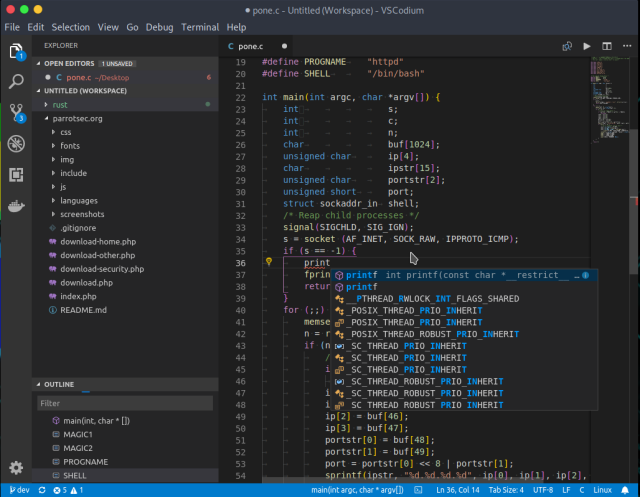
๐Ÿ•ถ๏ธ A view of its user interface in a dark theme, with code editing on the right showing syntax highlighting, suggestions when entering code and code structuring in nested levels, the current project tree on the left, and the editor menus at the top and far left.

๐Ÿ“š๏ธ VSCodium is a telemetry-free fork (VSCodium=publishing Visual Studio Code binaries with "almost" no telemetry) of Visual Studio Code, the Microsoft libre, multi-platform code editor, combining the simplicity of a code editor with what developers need for their edit, build and debug cycle, and leaving more complex workflows to more comprehensive IDEs, such as Visual Studio IDE. It offers full support for editing, browsing and understanding code, as well as lightweight debugging, a rich extensibility model and lightweight integration with existing tools.
๐Ÿ•ถ๏ธ A view of its user interface in a dark theme, with code editing on the right showing syntax highlighting, suggestions when entering code and code structuring in nested levels, the current project tree on the left, and the editor menus at the top and far left. ๐Ÿ“š๏ธ VSCodium is a telemetry-free fork (VSCodium=publishing Visual Studio Code binaries with "almost" no telemetry) of Visual Studio Code, the Microsoft libre, multi-platform code editor, combining the simplicity of a code editor with what developers need for their edit, build and debug cycle, and leaving more complex workflows to more comprehensive IDEs, such as Visual Studio IDE. It offers full support for editing, browsing and understanding code, as well as lightweight debugging, a rich extensibility model and lightweight integration with existing tools.
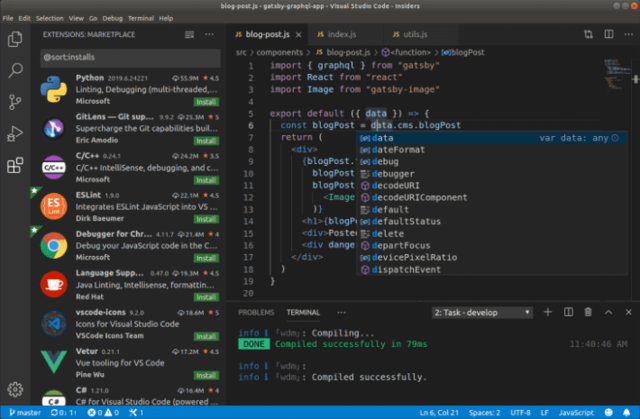
๐Ÿ•ถ๏ธ A view of its UI with on the top right part the code editing showing syntax highlighting, suggestions when entering code, and structuring of the code in nested levels, underneath a message area showing the successful compilation of the current code, on the left an area showing a wide range of extensions for language support, debugging and other tools, and on the very top as well as on the far left the editor's menus.

๐Ÿ“š๏ธ Code-OSS (Visual Studio Code) is a libre, multi-platform code editor that combines the simplicity of a code editor with what developers need for their editing, building, and debugging cycle, and leaves more complex workflows to more comprehensive IDEs, such as the Visual Studio IDE. It offers full support for editing, navigating and understanding code, as well as lightweight debugging, a rich extensibility model and lightweight integration with existing tools. Visual Studio Code is a distribution of the Code - OSS repository with Microsoft-specific customizations released under a traditional Microsoft product license.
๐Ÿ•ถ๏ธ A view of its UI with on the top right part the code editing showing syntax highlighting, suggestions when entering code, and structuring of the code in nested levels, underneath a message area showing the successful compilation of the current code, on the left an area showing a wide range of extensions for language support, debugging and other tools, and on the very top as well as on the far left the editor's menus. ๐Ÿ“š๏ธ Code-OSS (Visual Studio Code) is a libre, multi-platform code editor that combines the simplicity of a code editor with what developers need for their editing, building, and debugging cycle, and leaves more complex workflows to more comprehensive IDEs, such as the Visual Studio IDE. It offers full support for editing, navigating and understanding code, as well as lightweight debugging, a rich extensibility model and lightweight integration with existing tools. Visual Studio Code is a distribution of the Code - OSS repository with Microsoft-specific customizations released under a traditional Microsoft product license.
Blockbench Tutorials
๐Ÿ•ถ ๏ธ A view of its user interface (image taken from the website) with the current edition of a voxelized 3D lion with its 3D representation in the main central section, its textures and shapes on the left, the tree structure of its components (head, mane, ears, tail, legs) on the right, the tool menus at the top, and the current tab (lion.ego) below.

๐Ÿ“š๏ธ Blockbench is a libre, multiplatform, voxel-based 3D graphics editor aimed at designing low-poly models with pixel art textures. Its interface provides all the tools needed to create low-poly models, such as cuboids, mesh modelling tools for complex shapes, texture design and painting to dress them up, and animation (its animation editor lets you rig a model (create its skeleton) and use position, rotation and scale keyframes to bring it to life. Models can be exported in standardised formats for sharing, rendering, 3D printing or use in game engines. Its interface can be customised and enhanced using plugins.
๐Ÿ•ถ ๏ธ A view of its user interface (image taken from the website) with the current edition of a voxelized 3D lion with its 3D representation in the main central section, its textures and shapes on the left, the tree structure of its components (head, mane, ears, tail, legs) on the right, the tool menus at the top, and the current tab (lion.ego) below. ๐Ÿ“š๏ธ Blockbench is a libre, multiplatform, voxel-based 3D graphics editor aimed at designing low-poly models with pixel art textures. Its interface provides all the tools needed to create low-poly models, such as cuboids, mesh modelling tools for complex shapes, texture design and painting to dress them up, and animation (its animation editor lets you rig a model (create its skeleton) and use position, rotation and scale keyframes to bring it to life. Models can be exported in standardised formats for sharing, rendering, 3D printing or use in game engines. Its interface can be customised and enhanced using plugins.
๐Ÿ•ถ๏ธ Rare GUI (v.1.11.2) showing some games from Epic Games (most are Windows-only games) on my PC. The games awaiting installation have a grey cover, while the others have a coloured cover. Destiny 2 is currently being downloaded (3% complete). The top of the interface is devoted to menus (various search filters, settings, game counters, etc.).

๐Ÿ“š๏ธ Rare is a libre, multi-platform interface for the Epic Games Store, enabling you to install, uninstall and launch your games - via Legendary (a command-line tool adding a layer of compatibility with this store). It enables authentication on the store, installation on hard disk or in the cloud, updating and setting up Wine and games, searching for information on ProtonDB, checking games and repairing them if necessary. Its interface provides an immediate overview of your game library (installed/uninstalled games, installation progress), plus filters to make searching easier. An excellent tool!
๐Ÿ•ถ๏ธ Rare GUI (v.1.11.2) showing some games from Epic Games (most are Windows-only games) on my PC. The games awaiting installation have a grey cover, while the others have a coloured cover. Destiny 2 is currently being downloaded (3% complete). The top of the interface is devoted to menus (various search filters, settings, game counters, etc.). ๐Ÿ“š๏ธ Rare is a libre, multi-platform interface for the Epic Games Store, enabling you to install, uninstall and launch your games - via Legendary (a command-line tool adding a layer of compatibility with this store). It enables authentication on the store, installation on hard disk or in the cloud, updating and setting up Wine and games, searching for information on ProtonDB, checking games and repairing them if necessary. Its interface provides an immediate overview of your game library (installed/uninstalled games, installation progress), plus filters to make searching easier. An excellent tool!
๐Ÿ•ถ๏ธ A view of Goverlay's interface (superb, on a dark theme) showing on the left the vertical MangoHud settings tab (the Vulkan and OpenGL overlay for monitoring game-related system parameters), while the main part shows 5 tabs (Presets, Visual, Performance, Metrics, Extras), with the โ€œPresetโ€ tab selected. On the latter, 1 โ€œLayoutsโ€ area with 5 buttons (Full, Basic, Basic Horizontal, FPS only, Custom) for selecting the physical aspect of the overlay, and 1 โ€œColor Themeโ€ area (Mangohud stock, Goverlay, Simple White, Old afterburner) for selecting a color theme. Further down, a โ€œBlacklisted Appsโ€ button, a โ€œGlobal Enableโ€ selector, a sandwich button and a green โ€œSaveโ€ button.

๐Ÿ“š๏ธ MangoHud is a libre tool adding a graphical overlay (OpenGL and Vulkan support) allowing to monitor the system load (CPU/GPU load, framerate, temperatures, memory usage, and more). 
GOverlay is another complementary libre project delivering an interface to set up MangoHud, to choose what information will be displayed.
๐Ÿ•ถ๏ธ A view of Goverlay's interface (superb, on a dark theme) showing on the left the vertical MangoHud settings tab (the Vulkan and OpenGL overlay for monitoring game-related system parameters), while the main part shows 5 tabs (Presets, Visual, Performance, Metrics, Extras), with the โ€œPresetโ€ tab selected. On the latter, 1 โ€œLayoutsโ€ area with 5 buttons (Full, Basic, Basic Horizontal, FPS only, Custom) for selecting the physical aspect of the overlay, and 1 โ€œColor Themeโ€ area (Mangohud stock, Goverlay, Simple White, Old afterburner) for selecting a color theme. Further down, a โ€œBlacklisted Appsโ€ button, a โ€œGlobal Enableโ€ selector, a sandwich button and a green โ€œSaveโ€ button. ๐Ÿ“š๏ธ MangoHud is a libre tool adding a graphical overlay (OpenGL and Vulkan support) allowing to monitor the system load (CPU/GPU load, framerate, temperatures, memory usage, and more). GOverlay is another complementary libre project delivering an interface to set up MangoHud, to choose what information will be displayed.
๐Ÿ•ถ๏ธ A view of its user interface (v.5.6.249, on a dark theme, taken from the website) with the game scene in the center of the screen (2/3 of the screen, representing a water recreation area with a predominance of blue) and the settings menus on either side, with the main icons, buttons, and tabs above.

๐Ÿ“š๏ธ GDevelop is a libre (with additional paid features), multi-platform, mature, game engine & IDE, dedicated to the creation of multi-platform and/or HTML5 2D (and even 3D) games without programming knowledge, via an intuitive and powerful event-based system. The games created are royalty-free and license-free. In addition to its event-based system, it implements the JavaScript language to allow advanced users to extend its possibilities. It offers a resource manager (images, sounds, fonts, and access to a resource pack store), a scene editor (to position objects), an object editor (object creation), a layer editor (display layers), and an event editor (conditions & actions).
๐Ÿ•ถ๏ธ A view of its user interface (v.5.6.249, on a dark theme, taken from the website) with the game scene in the center of the screen (2/3 of the screen, representing a water recreation area with a predominance of blue) and the settings menus on either side, with the main icons, buttons, and tabs above. ๐Ÿ“š๏ธ GDevelop is a libre (with additional paid features), multi-platform, mature, game engine & IDE, dedicated to the creation of multi-platform and/or HTML5 2D (and even 3D) games without programming knowledge, via an intuitive and powerful event-based system. The games created are royalty-free and license-free. In addition to its event-based system, it implements the JavaScript language to allow advanced users to extend its possibilities. It offers a resource manager (images, sounds, fonts, and access to a resource pack store), a scene editor (to position objects), an object editor (object creation), a layer editor (display layers), and an event editor (conditions & actions).
๐Ÿ•ถ๏ธ In the background a bird's eye view of a landscape map with monuments, ancient buildings and what appear to be monsters, in the foreground and to the right the command interface and in the center the fantasy units and the counting of available resources.

๐Ÿ“š๏ธ Heroes of Might and Magic III (Heroes of Might and Magic III: The Restoration of Erathia, Heroes III, HoMM3) is the 3rd installment of a series of medieval fantasy turn-based strategy games released in 1999, in which the player leads a number of heroes commanding their legion of creatures in a crusade to help Queen Catherine Ironfist reclaim her lands conquered by hordes of undead led by Gryphonheart, her late father, former King of Erathia, who was murdered by traitors and resurrected as the undead. VCMI is a libre, multi-platform, compatible and improved engine (high resolution support, advanced and easy mod support, random map generator, zoom, ...).
๐Ÿ•ถ๏ธ In the background a bird's eye view of a landscape map with monuments, ancient buildings and what appear to be monsters, in the foreground and to the right the command interface and in the center the fantasy units and the counting of available resources. ๐Ÿ“š๏ธ Heroes of Might and Magic III (Heroes of Might and Magic III: The Restoration of Erathia, Heroes III, HoMM3) is the 3rd installment of a series of medieval fantasy turn-based strategy games released in 1999, in which the player leads a number of heroes commanding their legion of creatures in a crusade to help Queen Catherine Ironfist reclaim her lands conquered by hordes of undead led by Gryphonheart, her late father, former King of Erathia, who was murdered by traitors and resurrected as the undead. VCMI is a libre, multi-platform, compatible and improved engine (high resolution support, advanced and easy mod support, random map generator, zoom, ...).
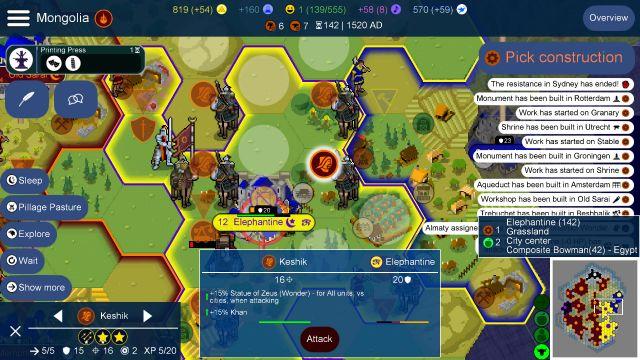
๐Ÿ•ถ๏ธ Its UI with a strategy game. The central part is occupied by a map divided into hexagons with pixelart units. The period is medieval, several Mongol units & a trebuchet surround a castle in the center. The units have an icon for easy understanding (mongol, sword, trebuchet, ..), slightly transparent when not selected. The Mongol on horseback on the right of the castle is selected. The castle (named Elephantine) seems to be under siege. On the left of the UI several command buttons (Sleep, Pillage Pasture, Explore, Wait, ..), below the characteristics of the selected unit (Keshik, 2 stars, XP 5/20, ..), in the lower middle a box with what seems to be a report on the selected unit (Keshik vs Elephantine). To the right of the UI, a message area ("The resistance in Sydney has ended!", ..), lower right a mini map. At the top of the interface a hamburger menu, and near it the title "Mongolia". At the top middle several indicators, the period (1520 AD) and on the right an "Overview" button.

๐Ÿ“š๏ธ UnCiv is a libre, multi-platform, single-player / multi-player (by exchange of "User ID"), turn-based strategy game (4X) & Empire building, inspired by Civilization V: the game starts in 4000 BC Christ, the player directs a nation or an ethnic group, with the aim of supremacy over the other protagonists, leading his group until 2050 AD. It's a neat game that offers in-game help to get started, solo/multiplayer, map editor and game save / load. Very good!

๐Ÿ•ถ๏ธ Its UI with a strategy game. The central part is occupied by a map divided into hexagons with pixelart units. The period is medieval, several Mongol units & a trebuchet surround a castle in the center. The units have an icon for easy understanding (mongol, sword, trebuchet, ..), slightly transparent when not selected. The Mongol on horseback on the right of the castle is selected. The castle (named Elephantine) seems to be under siege. On the left of the UI several command buttons (Sleep, Pillage Pasture, Explore, Wait, ..), below the characteristics of the selected unit (Keshik, 2 stars, XP 5/20, ..), in the lower middle a box with what seems to be a report on the selected unit (Keshik vs Elephantine). To the right of the UI, a message area ("The resistance in Sydney has ended!", ..), lower right a mini map. At the top of the interface a hamburger menu, and near it the title "Mongolia". At the top middle several indicators, the period (1520 AD) and on the right an "Overview" button. ๐Ÿ“š๏ธ UnCiv is a libre, multi-platform, single-player / multi-player (by exchange of "User ID"), turn-based strategy game (4X) & Empire building, inspired by Civilization V: the game starts in 4000 BC Christ, the player directs a nation or an ethnic group, with the aim of supremacy over the other protagonists, leading his group until 2050 AD. It's a neat game that offers in-game help to get started, solo/multiplayer, map editor and game save / load. Very good!